
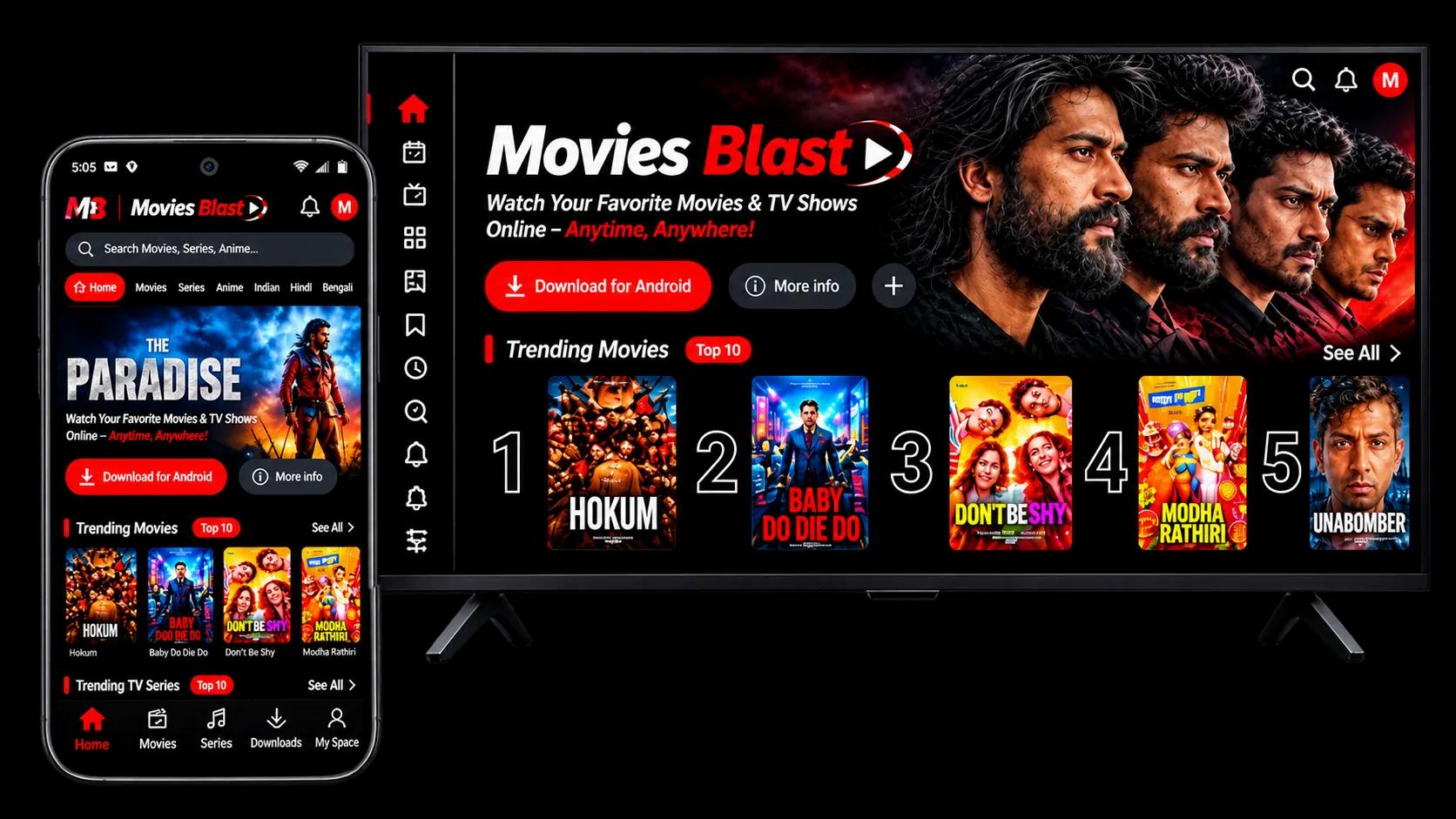
Movie Blast
No ads.
No subscription.
Just press play.
Movies, series, anime and shorts on your Android phone and Android TV. One free account, every screen. The film starts the moment you tap it.
- Android 7.0 or later
- Version 1.2.43
- 20.4 MB
- Free
Pick your screen
Two apps and the web player are ready today. The rest of the family is in the works, Builds update inside the app once installed.
and every one of them signs in with the same account.
Android phones and tablets
MovieBlast for Android
- Android 7.0 or later
- Works on tablets too
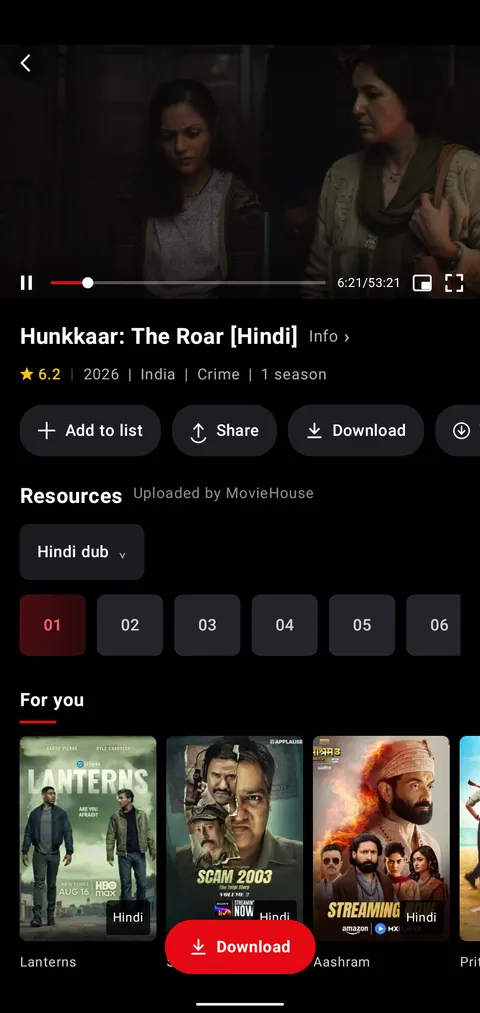
- Downloads for offline
- Floating mini player
Version 1.2.43 · 20.4 MB
Android TV and Google TV
MovieBlast for
TV
- Built for the remote
- Voice search
- Sign in with your phone
- Any Android TV box or set
Version 1.2.5 · 20.4MB
And the rest
Every other screen.
The web player is live at moviblast.space; the same account will carry your list and progress to the others the day they ship.

Web browser
- Available

Windows
Desktop app
- In development

macOS
Desktop app
- In development
One account. Every screen you own.
Your list, your history and the exact second you stopped travel with you. Sign in on a new device and it already knows where you were.
- Progress sync. Stop a film on the phone at 41:10; the TV offers to resume at 41:10.
- Sign in on the TV with your phone. The TV shows a short code, you confirm it on the phone. No typing a password with the remote.
- Your devices, your rules. Reached the device limit? Release an old screen right from the sign-in page.
• Available º development

Android TV
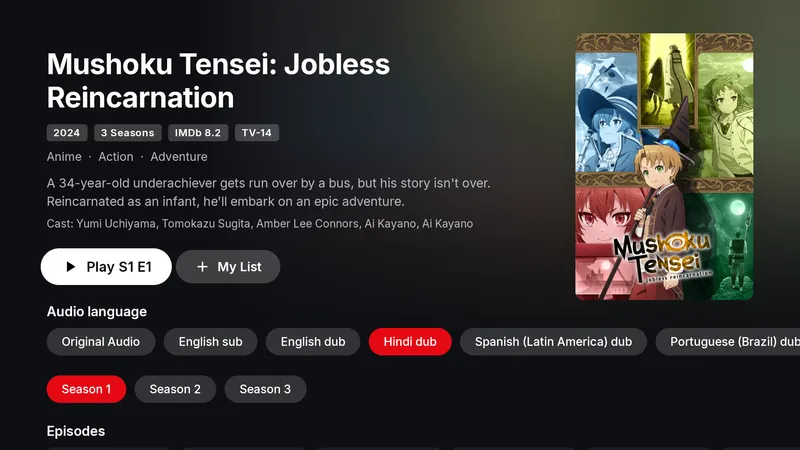
The same library, ten feet away.
Movie Blast for TV is a separate app designed around the remote, not a stretched phone layout
- Made for the remoteBig focus states, a left rail you can reach with one thumb, nothing hidden in long-press menus.
- Audio language, up frontOriginal, dubbed or subtitled: the choice sits on the title page, not three menus deep.
- Search by voiceHold the microphone key and say the title. The on-screen keyboard is there when you want it.
- Sign in from the phoneThe TV shows a code, your phone confirms it. Your list and progress appear on the big screen.

Installed in under a minute.
MovieHouse installs directly from a small APK file. After that, every
update arrives inside the app with a single tap.

Step 1
Download the APK
Use the button for your device. It is a small file, and the download starts right here on the page.

Step 2
Allow this one install
Open the file. Android asks once whether your browser may install apps. Switch it on and go back.

Step 3
Open MovieBlast and sign in
Create a free account or sign in. From here the app checks for updates itself and installs them when you say so.

Installing on a TV?
Open a browser or the Downloader app on the TV and enter moviblast.space The TV build downloads straight away. You can also copy the APK to a USB stick from your computer.

Ready when you are.
Pick your screen, press download, and the film starts a minute from now.
Questions, answered.
Anything else, write to us. A person reads every message.
What is Movie Blast?
Movie Blast is a movie and entertainment platform designed to help users explore movie information, discover popular titles, and find entertainment-related content in one place.
Is Movie Blast free to use?
Movie Blast may offer free access to its available content and features. Please check the website for any specific fees or premium options.
How can I download movies from Movie Blast?
Visit the Movie Blast website, browse the available titles, and follow the provided download instructions where downloads are available and legally authorized.
Is Movie Blast compatible with mobile phones and TVs?
Movie Blast can be designed to provide a user-friendly browsing experience across mobile phones, tablets, computers, and compatible TVs, depending on the website’s features.
Is Movie Blast safe to use?
For a safer experience, access the official Movie Blast website, avoid suspicious pop-ups and unknown files, and ensure that downloads come from trusted, legally authorized sources.